Is your website accessible? Find out before it costs you.
Check your website's accessibility and get exactly what to fix, in plain English. Protect your business from expensive accessibility lawsuits.
First scan requires email verification to prevent abuse.
Illustration: an example accessibility report, showing made-up results for a fictional site. Not a real scan.
Multi-Agent Defense Platform for digital accessibility compliance
Why it matters
The real numbers behind the risk, not marketing copy.
96% of the web's most visited sites fail basic accessibility tests
Website accessibility lawsuits across federal and state courts grew 23% in one year, reaching nearly 5,000 in 2025 -- plus an estimated 7–10 demand letters for every one that actually reaches court.
Small businesses typically settle for $5,000–$15,000; larger companies pay $30,000–$85,000
"96% of the web's most visited sites fail basic accessibility tests. That's not a statistic, it's most of the internet simply not working for people with disabilities."
How it works
Paste your URL. No account, no setup1, no catch.
Enter your site
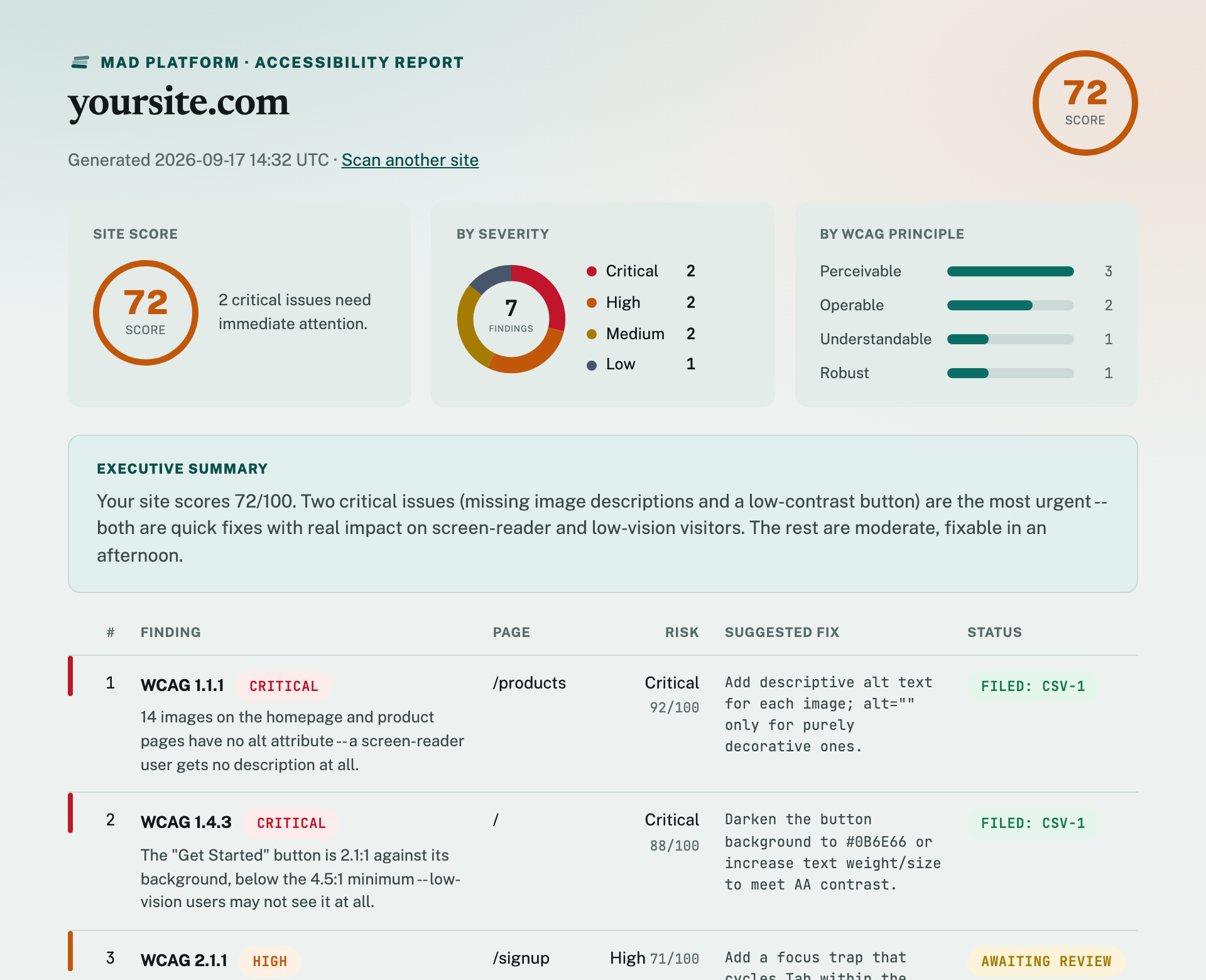
See your report
1 First-time visitors may need a one-time email verification to prevent abuse.
Under the hood
A team of specialized agents, not one model guessing.
Select
Finds the pages that carry real risk.
Analyze
Rules plus AI, across visual, structural, and media checks.
Verify
Independently re-checked. False alarms dropped.
Act
Ranked by risk, exported as a ready-to-use fix list.
How we compare
What we actually checked, not marketing copy.
Swipe or use the arrow keys to see all columns →
| MAD Platform | Free scanners | Paid audit tools | |
|---|---|---|---|
| Free, always | Free tier only1 | $29–$249+/mo | |
| Multi-page scan | Yes | No | Yes |
| Reviews actual screenshots | 2Yes | No | Varies by vendor |
| Audio/video captions | Yes | No | Rarely |
| Filters out false positives | Yes | No | Add-on only3 |
| Provides a fix | Yes | Yes | Often upsells a widget4 |
| Follows latest standards | 5Yes | Often outdated | Varies by vendor |
1 Most free checkers cap what's included and require a paid tier for full scans.
2 Rule-based scanners check the underlying code; they don't evaluate what the page actually looks like once it renders.
3 Automated scanners are well known for flagging non-issues; catching what they get wrong is typically a separate paid add-on for these tools.
4 The FTC fined a major overlay-widget vendor $1M in 2025 for overstating what its auto-fix could actually do.
5 MAD Platform checks the accessibility standard (WCAG) for changes and keeps its knowledge base current.